

If you work in product marketing, you know this cycle.
A rep in one region needs a deck for a specific account. Another rep needs a slightly different version for a different segment. Someone needs a flyer for an event next week, someone else needs a one-pager for a partner. You build them, ship them, and by Monday there’s a new list.
For the longest time, that was us. We produced new materials every single week, and somehow we never had the materials people needed. We never moved forward, because there was always another custom request waiting.
And here’s the harsh reality, whether we like to admit it or not: most of what we build doesn’t get used. Creating materials that reps actually pick up and run with is one of the hardest parts of the job.
So here’s something I’m really happy about. We built a skill in Claude called BYOD, short for Build Your Own Deck. Our sales team is using it, the feedback has been great, and it finally got us out of that cycle.
It sits on top of two things we built first, so let me walk through all three.
Step one: strong core materials
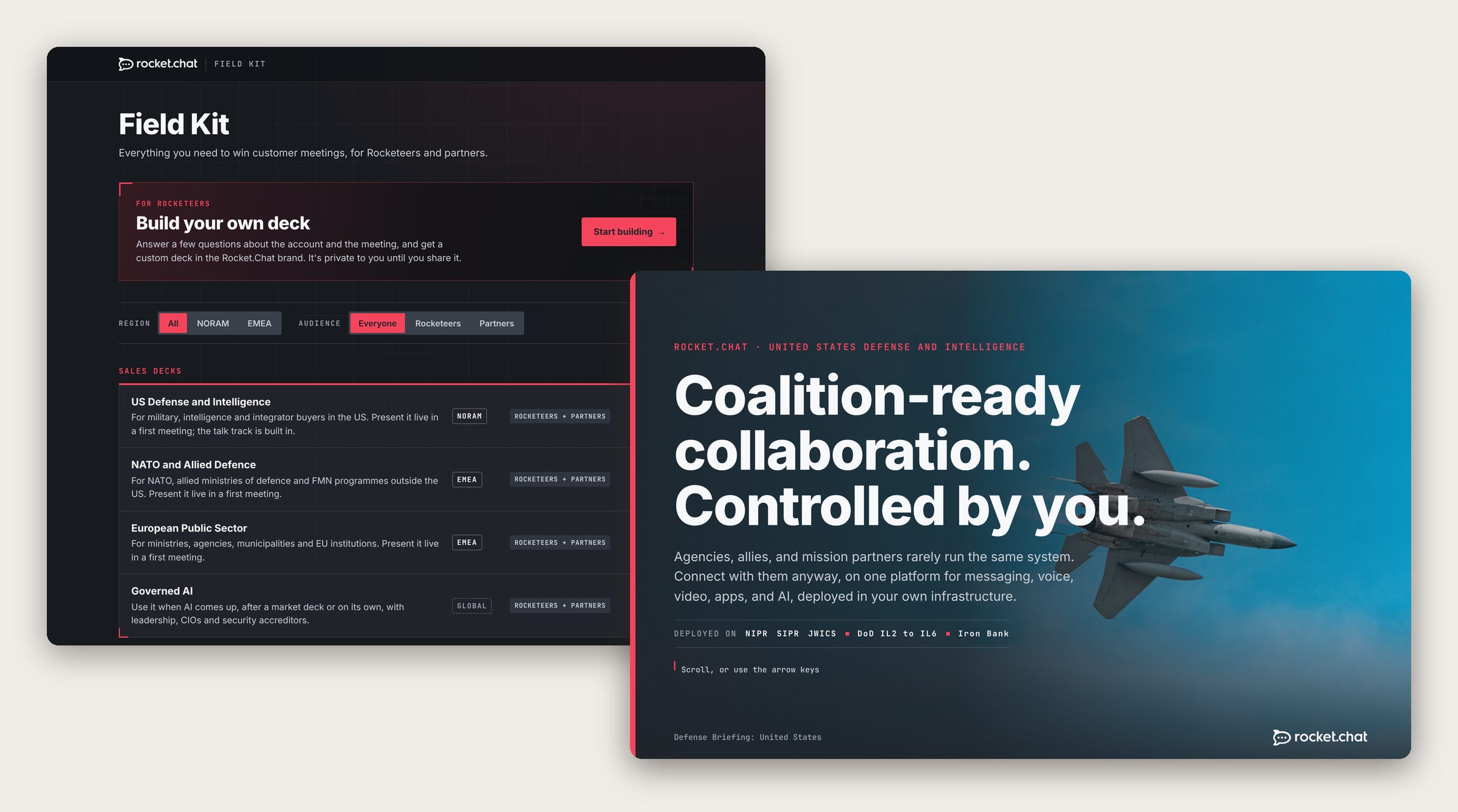
It starts with a set of core materials, one for each of our key segments, regions, products and use cases. Sales presentations, enablement and training decks, event flyers, that kind of thing. They live in one portal, our field kit, and reps can use them as they are.
We build all of them in Claude as animated, interactive artifacts. From a messaging and design point of view, the jump in the last couple of months has been massive. They look modern and professional, ICP appropriate, and they land with buyers.
More and more, we’re retiring Google Slides and PowerPoint and moving to these. Every artifact has a download button in the top right that exports a PDF, optimized so animated slides show their most complete state and still work as a static file.
There’s also a secret keyboard shortcut our reps know about. Press it and a talk track pops up, so every deck doubles as training while they learn the material.
Even getting to a final version got faster. When we share a draft for feedback, people comment right on it in Claude. Then we ask Claude to apply the changes we agree with, or to suggest how to address a comment we want to think through. What used to be weeks of feedback rounds now gets us to a high-quality final version in minutes.
Step two: clone and customize
When a core deck is close but not quite right, a rep makes a clone and changes it through Claude. Swap the wording, reorder slides, add new ones, tailor it to a segment or an account.
Because our brand and messaging are built in, whatever they make stays on brand and on message. Not everyone is great at designing slides, and they don’t have to be. The result looks professional no matter who built it.
To help reps get comfortable, I also built a training artifact on how to customize these materials in Claude. It has seven exercises they can practice. The first ones are simple, like changing copy or reordering slides. By exercises six and seven, they’re building brand-new slides, animations and even architecture diagrams that help visualize complex product capabilities.
People are adapting to AI and changing how they work at different levels and at their own pace. Some are comfortable and happy to jump right in, others need more time. Tools like this help everyone get more comfortable with a transition that’s ultimately inevitable.
That alone took a lot of pressure off our team. But the real unlock came next.
Step three: Build Your Own Deck
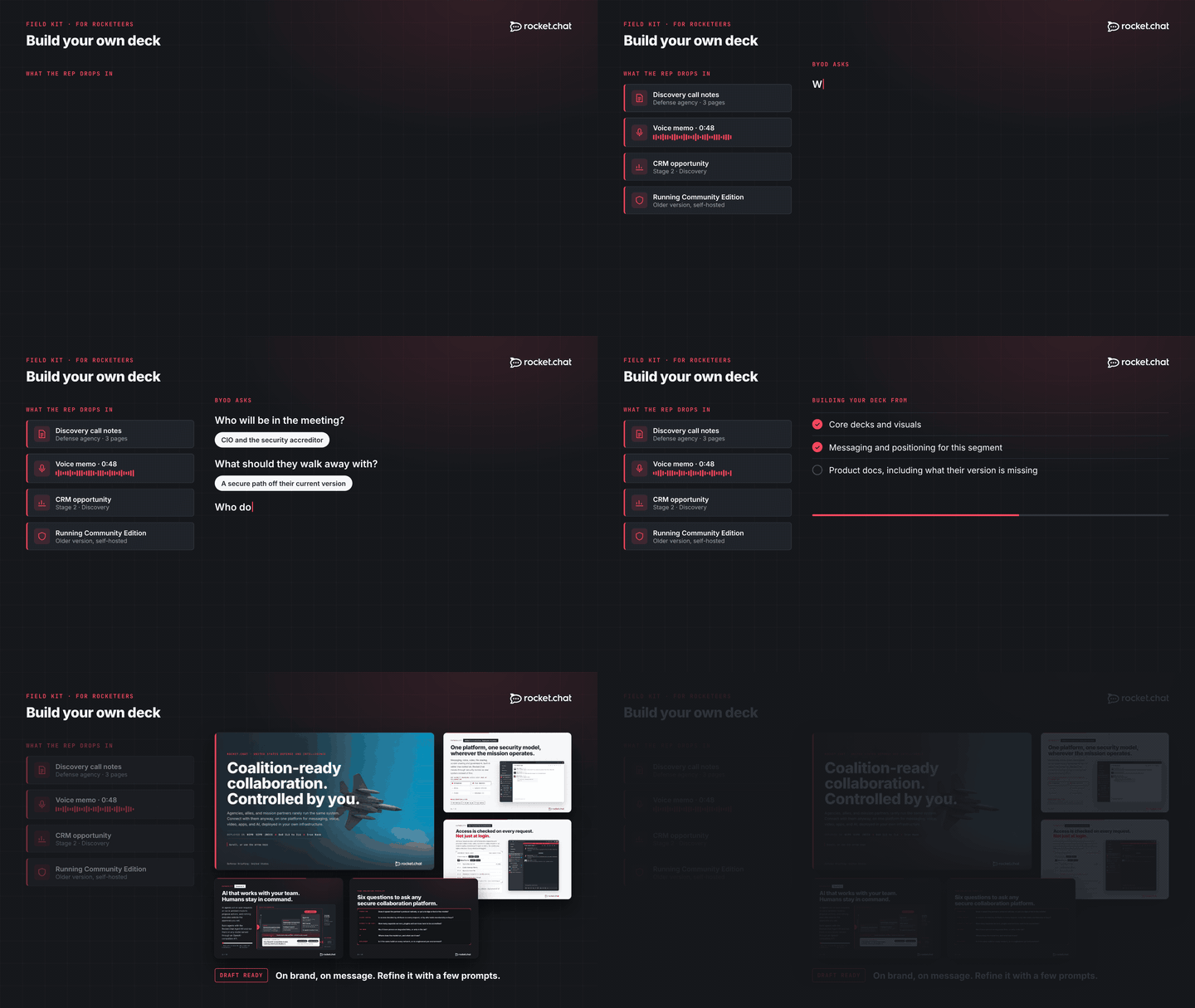
With BYOD, a rep doesn’t start from an existing deck at all. They open the skill and drop in whatever they have on the account: notes, a voice memo, questions from the last call, anything they know about the project. The skill then digs deeper in whatever direction the deck needs to go. The questions change depending on the stage of the opportunity, or, in our case, also whether the account already runs our Community Edition, our free open source version. Each path is different, but reps work through it quickly, and once the skill has what it needs, it builds a custom deck.
What makes it strong is what it draws on:
Our core materials, so it starts from the same decks and visuals we’d use ourselves.
Our messaging and positioning, by segment, persona and ICP.
Our product documentation and capabilities, so the claims are accurate.
Account research and the CRM, so the deck fits what we actually know about the customer.
In practice, the rep gets roughly what they’d get if one of us on the marketing team built it for them. Except anyone in the company can do it, whenever they need it.
It also stays current on its own. The skill updates itself on a recurring schedule, pulling in the latest core materials and messaging, so nobody has to remember to refresh it.
It can do some genuinely smart things too. A lot of organizations run our Community Edition, often on older versions. When a rep shares which version an account is on, the skill knows what that version is missing on the security side and raises it in the deck, where it’s relevant to the conversation.
And it gets better as the deal moves. Each time a rep comes back with more context, the skill builds on what it already knows about the account, so the materials gain depth and stay consistent from the first meeting to the close.
A strong first draft
One thing we coach every rep on: the first version BYOD produces is a draft, never the final. The goal is a pretty damn strong draft that they can then prompt a few more times to get exactly right for their meeting.
That expectation is part of why it works. Reps stay in control of the story, and the skill does the heavy lifting.
Finally off the treadmill
This is one of the rare materials that actually gets used. Our reps picked it up and are using it, and the feedback has been really positive.
The bigger win for us is that the never-ending cycle is mostly behind us. We’re no longer producing more and more custom materials while still never having what the team needs. Our team can finally move forward and put its time into other important work.
There’s a lot more the team has been building lately, and I’ll be sharing more of it here over the next few weeks. ✌️