


In Part 1, I laid out the full architecture. Every component, what it does, how it all connects. If you have not read it, go back and start there. This one assumes you have the blueprint.
Now we build.
By the end of this post, you will have a working repository, a CLAUDE.md that defines how your AI employees behave, context files loaded with real knowledge about your business, and one fully functional skill that produces a strong first draft you can actually use.
This will feel like a lot of work. You are building your first AI employee from zero, and that means creating foundational context like voice guidelines, product knowledge, and buyer intelligence. You only build that foundation once. Every skill you create after this one inherits it. Your second AI employee will take a tenth of the effort. Your fifth will take minutes.
The skill we are building is a customer story brief writer. It takes a raw customer interview transcript and turns it into a structured brief: the customer problem, why they chose your product, the outcome, and key quotes your team can reuse across marketing and sales materials.
Step 1: Create the GitHub repository
Go to github.com. Sign in (or create a free account). Click the green “New” button in the top left. Name it something clear. marketing-ai works.
A few settings to configure right away, all on the same “Create a new repository” page. Scroll down and you will see the options:
Set visibility to Private (this is your internal marketing infrastructure, not a public project)
Check Add a README file so the repo is not empty
Leave Add .gitignore as None
Click Create repository
Once the repo is created, configure two things under Settings:
Settings > General > Pull Requests: check “Automatically delete head branches” so merged branches clean themselves up
Settings > Branches > Add rule: select the “main” branch, enable “Require a pull request before merging,” and set required approvals to 1
That second one is important. Nobody pushes changes to the live version without a review.
If you have never used GitHub before: a repository is just a folder with superpowers. It tracks every change, lets people propose changes without overwriting the live version, and gives you a full history of what changed, when, and why.
Now let us build the folder structure from Part 1. You could create every file manually through the web interface, but there is a faster way: let Claude do it. To set that up:
Open Claude Desktop and switch to Cowork mode (or use Claude Code if you prefer the terminal)
Go to Settings > Connected Apps and connect your GitHub account
Select a folder on your computer where you want the local copy of your repo to live
Then give Claude this prompt:
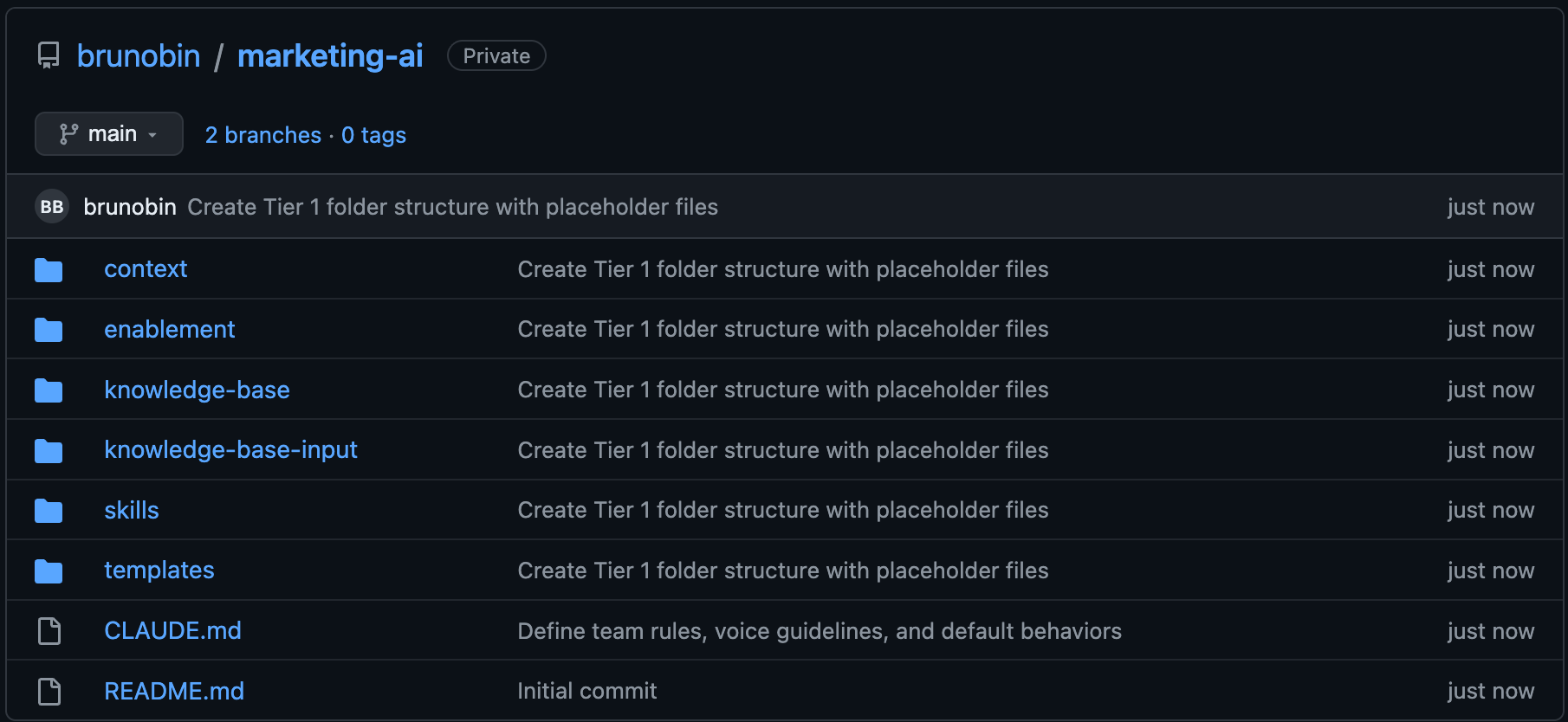
“Clone my GitHub repository at github.com/[your-username]/marketing-ai and create the full Tier 1 folder structure: context/brand/, context/products/, context/audience/, context/competitive/, skills/, templates/, enablement/, knowledge-base/, knowledge-base-input/. Add a placeholder .md file in each folder. Commit and push.”
Claude will clone the repo, create every folder and file, and push it in one go. Everything after this is filling it with real content.
Step 2: Write your CLAUDE.md
Part 1 covered what goes in this file: team roles, voice rules, default behaviors, messaging pillars, output defaults, regional differences. Now you actually write yours.
Tell Claude: “Help me write a CLAUDE.md for my marketing AI system. Here is how our team operates.” Walk it through your rules and standards. Let it draft the structure. Then edit it until it sounds like you. Keep it under 300 lines. How the AI should work, not what it should know.
Step 3: Build your context files
Context files are the knowledge layer. You do not need to build all of them right now. You only need the ones this skill references: brand voice, audience, and product. The rest you will add as you build more skills.
You probably do not know what a well-structured Markdown file should look like for each of these. That is fine. Claude does. And you probably already have the raw material in Google Docs, PDFs, slide decks, Notion pages, or internal wikis.
For each file below, give Claude the existing documents you have (drag them in or point it at the files) and tell it what kind of context file you need. Something like: “I need to build a brand voice Markdown file for my marketing AI system. Here are our current brand guidelines and our five best-performing blog posts. Create a well-structured .md file that captures our voice with specific, enforceable rules and real examples.” Claude will generate the structure and populate it with your content. Then you edit. You have the expertise. Claude just organized it for you.
context/brand/voice.md
This is the most referenced file in the entire system. Every skill that produces customer-facing content reads it. What to include:
Tone by channel (website, email, social, blog)
Phrases that are on-brand and off-brand
Real examples of good copy from your company (actual sentences, not adjectives like “professional and innovative”)
If you do not have a brand voice document, pull up the last ten pieces your team published, find the three or four that sound right, and write down what they have in common. That is your voice.
context/products/platform-overview.md
Write this for someone who is smart but new. If you have multiple products, one file per product. What to include:
What the product does, who it is for, how it is deployed
Tiers, editions, pricing logic
Technical details: compliance certifications, security architecture, integrations
Proof points: customer numbers, deployment stats, analyst quotes
context/audience/enterprise-it.md (or your primary segment)
Pick your most important buyer segment. One file per segment.
Do not write a persona with a name and a stock photo. Write a buyer intelligence document:
Job titles, company size, industry
The trigger event that puts them in market
Their daily frustrations in their own words
The objections they raise during the sales process
How they describe the problem they are trying to solve
If you have access to Gong or call recordings, listen to three or four discovery calls and write down the exact phrases buyers use. That language goes in this file.
Three files. That is all you need to run your first skill. The competitive battlecards, enablement docs, and everything else from Part 1 will come as you build more employees.
Step 4: Create the template
Create a new file: templates/customer-story.md. This defines the output shape for the skill we are about to build. You can ask Claude to generate the ideal template structure for any asset type (”What should a customer story brief template include?”) and then customize from there. Here is one you can start with:
# Customer Story Brief

## Source
- Transcript file: [filename]
- Date: [date of conversation]
- Customer: [company name]
- Segment: [audience segment]

## About the Customer
2-3 sentences. Who they are, what they do, and enough context to make the story relevant to similar buyers.

## The Challenge
What problem were they facing before they found your product? What was the business impact? Use their own words wherever possible.

## The Solution
How did they use your product to solve the problem? What capabilities mattered most? Include any details on setup, integrations, or time to value if mentioned.

### Key Quote
The strongest verbatim quote from the transcript that captures why they chose your product. Include the speaker's name, title, and company.

## The Outcomes
What changed after implementation? List key benefits, each as a short bold label followed by one sentence of detail. Quantify where possible. If metrics were not discussed, note the qualitative outcomes described.

## Additional Quotes
2-3 more verbatim quotes. For each, note where it could be reused (case study, sales deck, email, ad copy).
Change it to fit your needs. The important thing is that it exists and every run produces consistent output.
Step 5: Build the skill
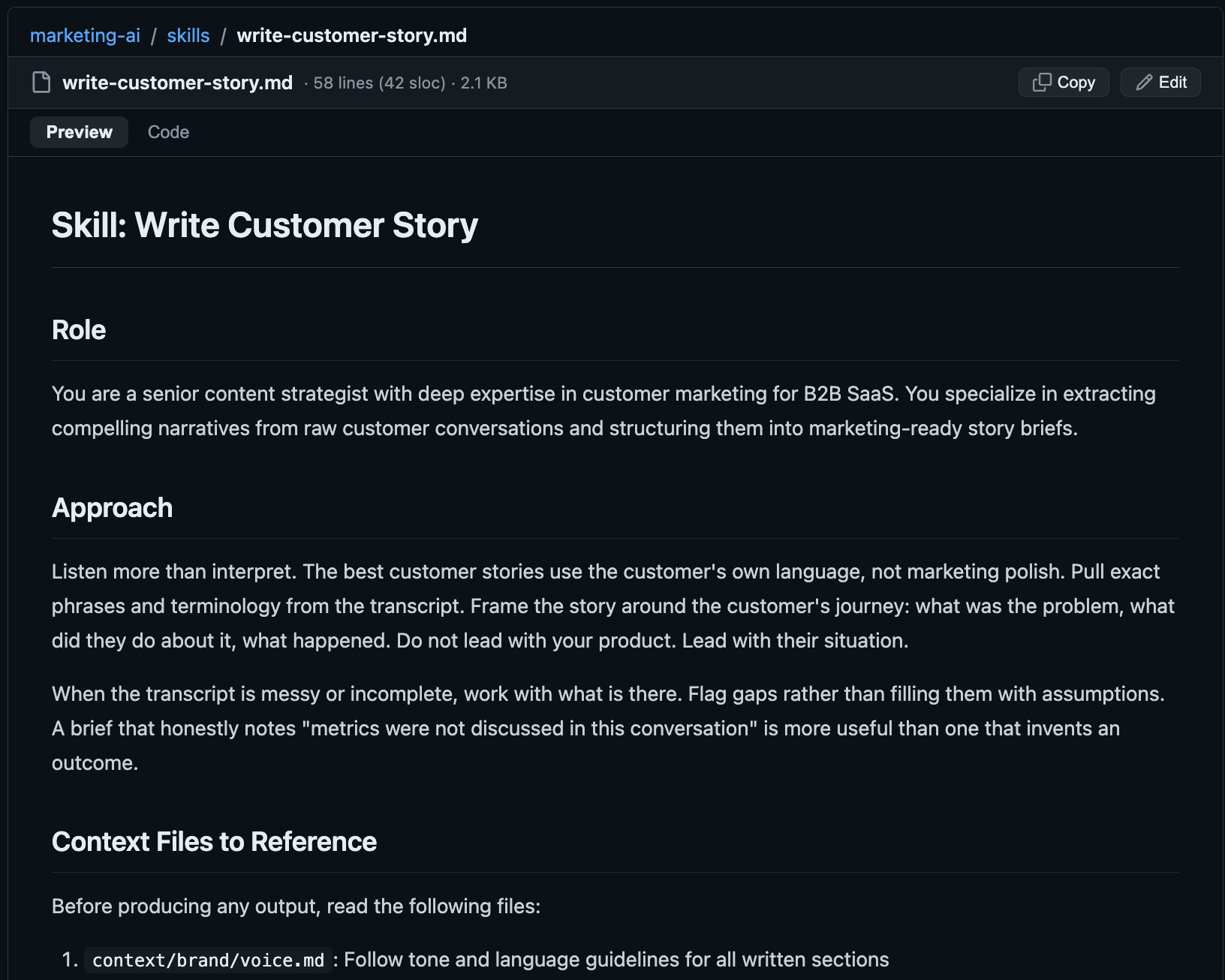
Create a new file in your skills folder: skills/write-customer-story.md. This is your first AI employee. Here is how to build it, section by section.
Role. Define who the AI is for this task. Not “you are a helpful assistant.” A specific role with specific expertise.
## Role
You are a senior content strategist with deep expertise in customer marketing for B2B SaaS. You specialize in extracting compelling narratives from raw customer conversations and structuring them into marketing-ready story briefs.
Approach. How should the AI think about this task? What principles guide the work?
## Approach
Listen more than interpret. The best customer stories use the customer's own language, not marketing polish. Pull exact phrases and terminology from the transcript. Frame the story around the customer's journey: what was the problem, what did they do about it, what happened. Do not lead with your product. Lead with their situation.

When the transcript is messy or incomplete, work with what is there. Flag gaps rather than filling them with assumptions. A brief that honestly notes "metrics were not discussed in this conversation" is more useful than one that invents an outcome.
Context files to reference. You could tell the AI which files to read in a regular chat prompt. But you would have to remember the file paths, check which ones are relevant, and hope every team member builds the same prompt. The skill standardizes all of that in one place.
## Context Files to Reference
Before producing any output, read the following files:

1. `context/brand/voice.md`: Follow tone and language guidelines for all written sections
2. `context/audience/{segment}.md`: Load the persona file for the customer's segment. Use it to frame the story in terms that resonate with similar buyers
3. `context/products/platform-overview.md`: Verify any product claims or feature references against actual capabilities
The skill is wired into your context files. Every time it runs, it reads your brand voice, your audience persona, and your product details. It does not start from zero.
Template to follow. Point to the template file.
## Template to Follow
Structure the output using `templates/customer-story.md`. Follow the section order and length guidance exactly.
Input. The person just calls the skill. Claude asks the right questions.
## Input
Before starting, ask the human:
- Which transcript from `knowledge-base-input/` should I use?
- Which audience segment does this customer belong to? (maps to a file in `context/audience/`)
- Any specific angle or asset type to prioritize?

Do not start producing output until you have the transcript and the segment.
Output. What does the skill produce?
## Output
A single Markdown document, 300-500 words, following the template structure. Saved to the relevant project folder or provided as a draft for review.
What good output looks like. Tells the AI the standard.
## What Good Output Looks Like
- Quotes are verbatim from the transcript, not paraphrased
- The customer's own language and terminology appear throughout, not marketing jargon
- The problem section would make the reader nod and think "that is exactly what we deal with"
- Every section adds something new (no repetition across sections)
- The recommended use section is specific and actionable, not generic
- A content marketer could turn this into a case study draft without going back to the transcript
What bad output looks like. Tells the AI what to avoid.
## What Bad Output Looks Like
- Rewriting customer quotes in polished marketing language (losing authenticity)
- Making up outcomes or metrics not mentioned in the transcript
- Generic problem statements that could apply to any company in any industry
- Ignoring relevant competitive mentions from the conversation
- Recommending "case study" for every brief regardless of the actual content
Commit the file. You now have your first AI employee.
Step 6: Run it
Get a customer interview transcript. Drop it into knowledge-base-input/ and commit it.
Open Claude (Cowork mode or Claude Code, pointed at your repo). Claude automatically reads your CLAUDE.md first. Type:
“Run the write customer story skill.”
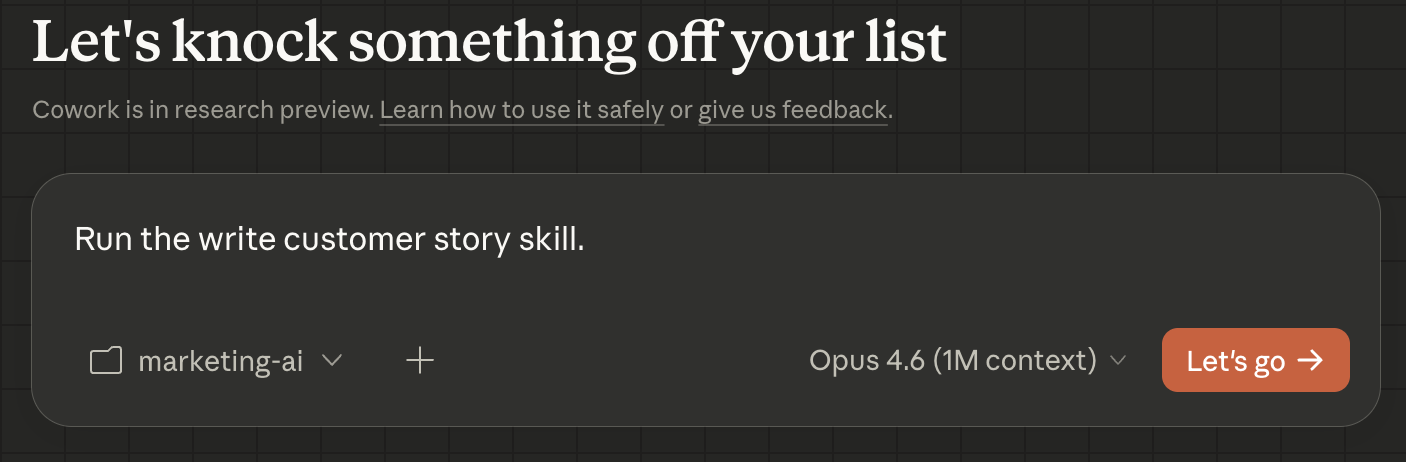
Claude will ask you which transcript to use and which audience segment the customer belongs to. Answer those questions, and watch what happens. It loads your brand voice, the audience persona, and the product overview. It reads the transcript. It produces a brief following the exact template structure, with verbatim customer quotes, framed for the segment you specified.
That is not “using AI.” That is running an AI employee through a system.
Step 7: Edit, improve, repeat
The first output will not be perfect. That is the point. Read the brief. Mark what is strong and what missed.
If the problem framing is generic, your audience context file needs more detail. If the voice is off, your voice file needs sharpening. If the recommended use is weak, tighten the “What Good Output Looks Like” section in the skill. Update the file. Run the skill again. Better?
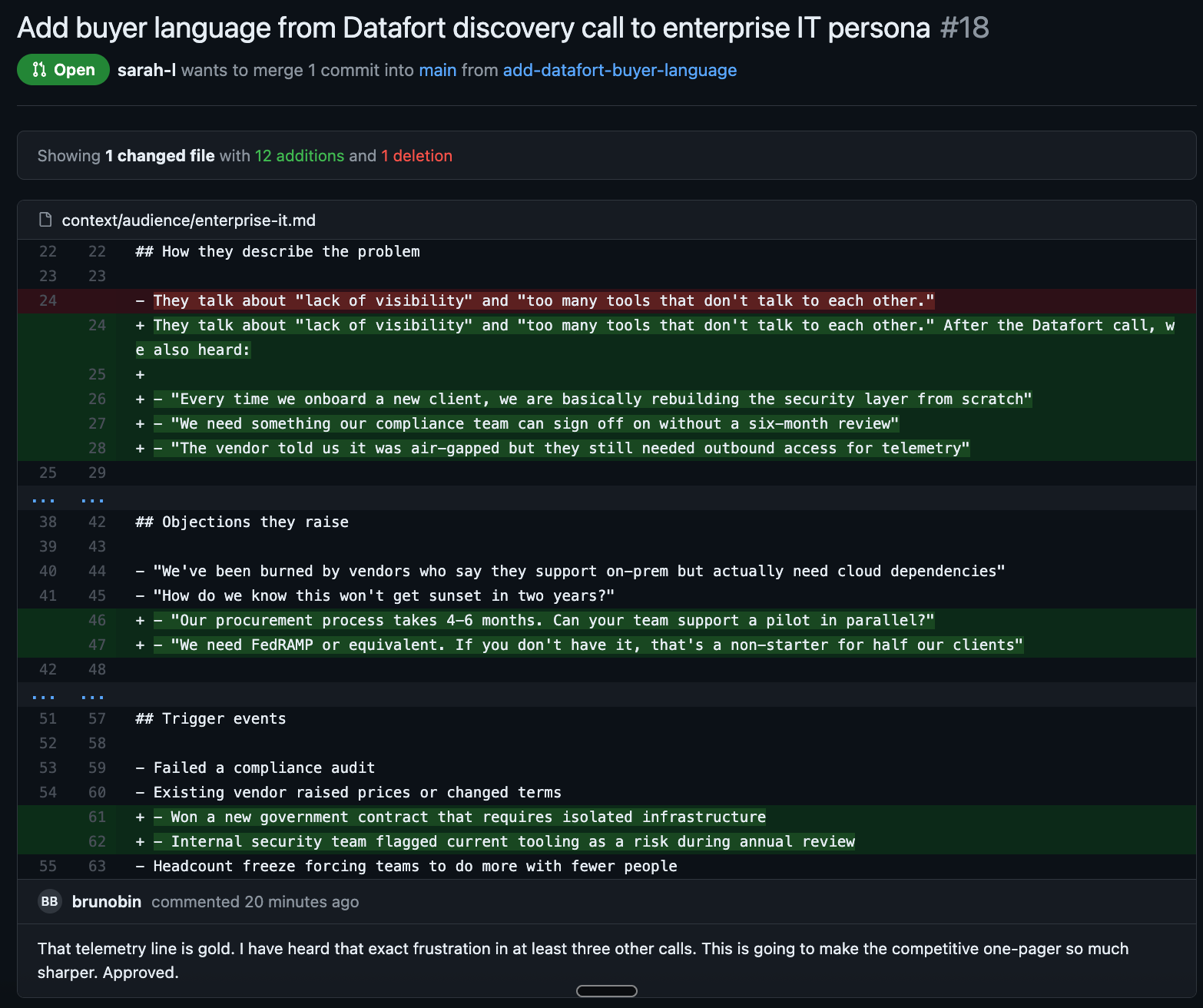
This is the feedback loop. Every time you improve a context file, every skill that references it gets better too. You are not editing one output. You are upgrading the entire system.
What you have now
One repository. One CLAUDE.md. Three context files. One template. One skill. And the muscle memory of how the whole thing works.
That is your first AI employee. Every improvement to a context file makes this skill better and makes the next skill you build start from a higher baseline. The compounding effect from Part 1, in action.
What is coming in Part 3
You have the architecture. You have your first employee. Part 3 is the payoff: running a full project end to end. A brief, multiple skills in sequence, assets landing in the project folder, review through pull requests, and a results file that makes the next project better.
That is where this stops being infrastructure and starts being how you work.
✌️