

Part 1 was the architecture. Part 2 was building your first AI employee. This is the payoff.
You have a repository, a CLAUDE.md, context files, and at least one working skill. Now we run an actual project through the system. A full campaign with multiple assets, produced in sequence, reviewed through pull requests, and tracked from brief to results.
The scenario
You are launching a new product. The campaign needs:
A project brief
A competitive one-pager for sales
A landing page draft
An email announcement
LinkedIn posts for launch week
Five assets. Five skills. One project folder.
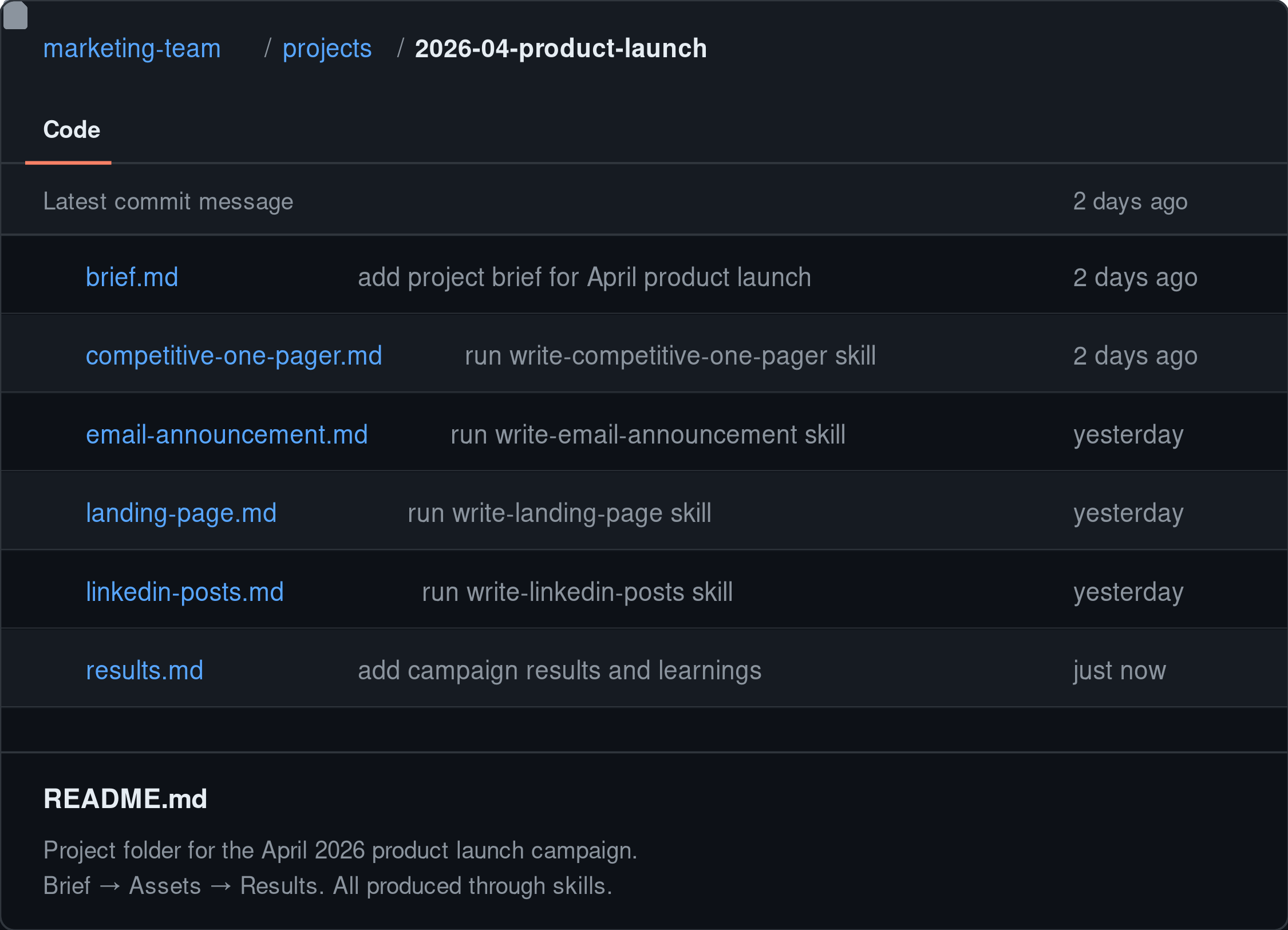
Step 1: Create the project folder and write the brief
Create projects/2026-04-product-launch/ in your repo. Every project gets its own folder.
The first file is always brief.md. It answers the questions every asset needs answered before work begins:
What are we launching and why now?
Who is the primary audience?
What is the one thing we want them to do?
What assets do we need?
What is the timeline?
What does success look like?
You could build a skill to generate this brief, so the structure and questions are consistent every time, for anyone on the team.
Every skill you run for this project should reference this brief. It is what keeps a five-asset campaign coherent. Without it, each skill runs in isolation and you end up with a landing page that says one thing and an email that says something else.
Step 2: Build your skills
In Part 2, you built one skill. Now you need a few more. Building skills is fast once your context files exist. Same structure: Role, Approach, Context Files to Reference, Template to Follow, Input, Output, What Good Output Looks Like, What Bad Output Looks Like.
For this launch:
skills/write-competitive-one-pager.mdskills/write-landing-page.mdskills/write-email-announcement.mdskills/write-linkedin-posts.md
Build these skills to be reusable across any campaign, not just this one. Instead of hardcoding a specific project brief into the skill, have the skill ask which project it is for, which audience segment to target, and any other details that change from campaign to campaign. That way, next time you launch something, the skills already exist. You just run them and answer the questions.
You do not need to build them from scratch. Tell Claude: “I need a skill file for writing a competitive one-pager. Follow the same structure as my write-customer-story skill. Reference brand voice, the relevant audience segment, competitive context, and the product overview. Have it ask me which project brief to use.” Claude drafts the skill. You edit the Approach and Good/Bad Output sections to match your standards.
Step 3: Run the skills in sequence
Start with the competitive one-pager. It forces you to sharpen your positioning against a specific competitor, and that thinking flows into everything else.
“Run the write competitive one-pager skill for this project.”
Claude asks which competitor, which segment, reads the brief, and produces the one-pager. Review it, edit it, save it to the project folder.
Then the landing page. Then the email. Then LinkedIn. Each skill reads the same brief, the same context files, and follows its own template. The messaging stays aligned because every skill pulls from the same source of truth.
The order matters. The one-pager sharpens differentiation. The landing page builds the core narrative. The email distills it into 150 words. The LinkedIn posts pull the sharpest hooks from the landing page. Each asset builds on the one before it.
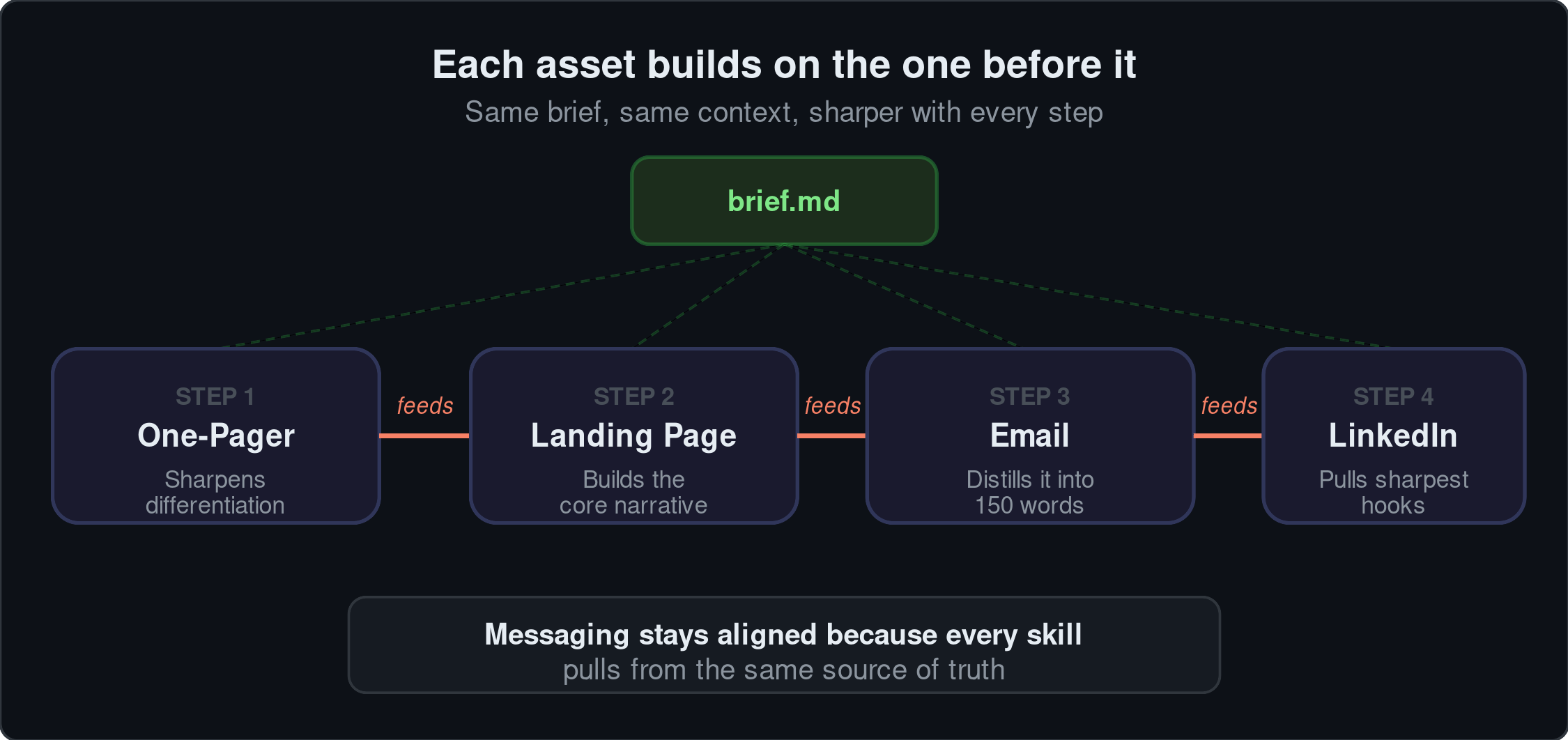
This can later be saved as a product-launch-play.md in your /plays folder; so your team can use it again during your next launch.
Step 4: Review through pull requests
Batch the assets into a pull request. A team member reviews the diff, leaves comments, approves or requests changes.
The reviewer can see the skill that produced the output, the brief it referenced, and the context files it pulled from. If something sounds off, they can check whether the issue is the skill, the context file, or the brief. The review becomes specific instead of “it just doesn’t feel right.”
Step 5: Write the results
The campaign launches. Data comes back. Create projects/2026-04-product-launch/results.md:
What was the business goal and did we hit it?
Did the campaign accomplish what it was meant to accomplish?
What moved the needle and what did not?
What did we learn that changes how we approach the next launch?
What should change in the context files, skills, or templates?
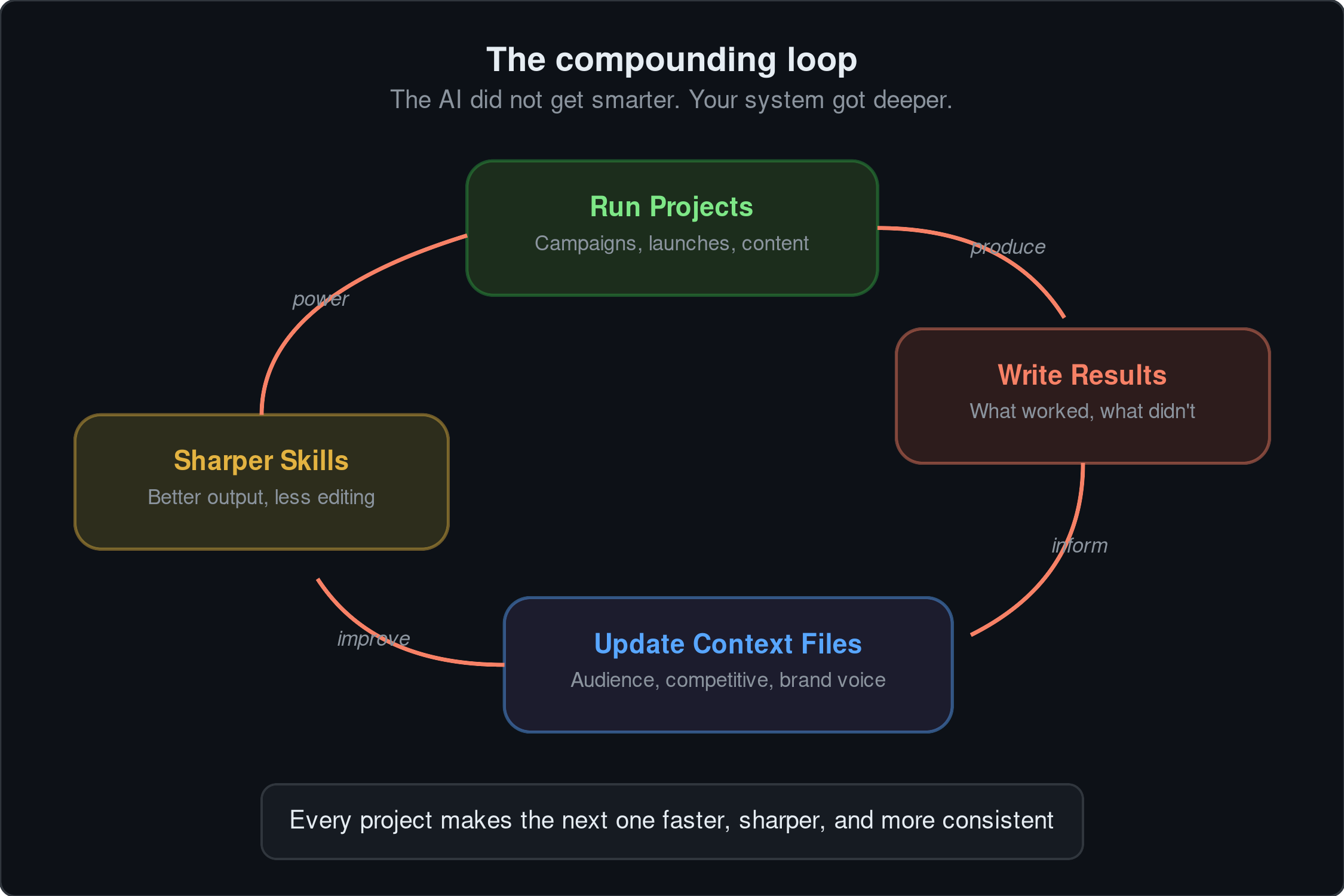
That last point matters a lot. The email worked but the landing page fell flat? Update your audience context file. Sales loved the one-pager but said it missed a new objection? Update the competitive context file. The results file turns campaign outcomes into system improvements. The next project starts from a better baseline.
The compounding effect, in full
Every customer call transcript adds buyer language to your knowledge base. Every campaign result that updates a context file makes every skill sharper. Every new skill inherits the full depth of context your team has accumulated.
Six months from now, your AI employees are not the same ones you started with. The AI did not get smarter. Your context got deeper. Your skills got tighter. The system learned from the work.
Where to go from here
You have the architecture from Part 1. You built your first AI employee in Part 2. You ran your first project in Part 3. This series is dense. If you got all the way here, you have already done the hardest part.
Now the work shifts. You have to sell this internally. Get your team to actually use what you built. There will be resistance. That is normal. But here is what I believe: AI is not going to replace people. People who use AI are going to replace people who do not.
You have the foundation. The real challenge now is changing how your team works. Once they adopt the method, the system compounds on its own. Every project, every result, every context file update makes the next one better.
The system is live. Now use it.
✌️
Super read - and thank you for the detail provided.
Question re: Step 4: Review through pull requests - do you see a single gatekeeper for this or multiple ones?
I'm trying to draw analogies from how ENG teams work on this.